Clone Cut AI
Clone Cut AI: a new person, the same video
Clone Cut AI takes a short video you have the right to use, finds the people in it and puts the people from your photos in their place. Every move, cut and camera angle stays, and so does the original sound. Clips of 2 to 30 s, 9 photos at most.
Create video- 2 to 30 s clip
- 1 to 9 photos
- free people scan
- original sound kept
Updated
Video to clone
Your photo
A clear photo of you, face to the camera. Putting in more people? Add one photo each, up to 9.
Settings
- Clothes
- Sound
Default · Re-shoots the scene
Clone Cut AI in action
Wan 3.0
Same moves, a new person
Trending videos for Clone Cut AI
Tap a video to use it in Clone Cut AI, then add your photo.
They come from public posts; to have one removed, use the takedown page.
What is Clone Cut AI?
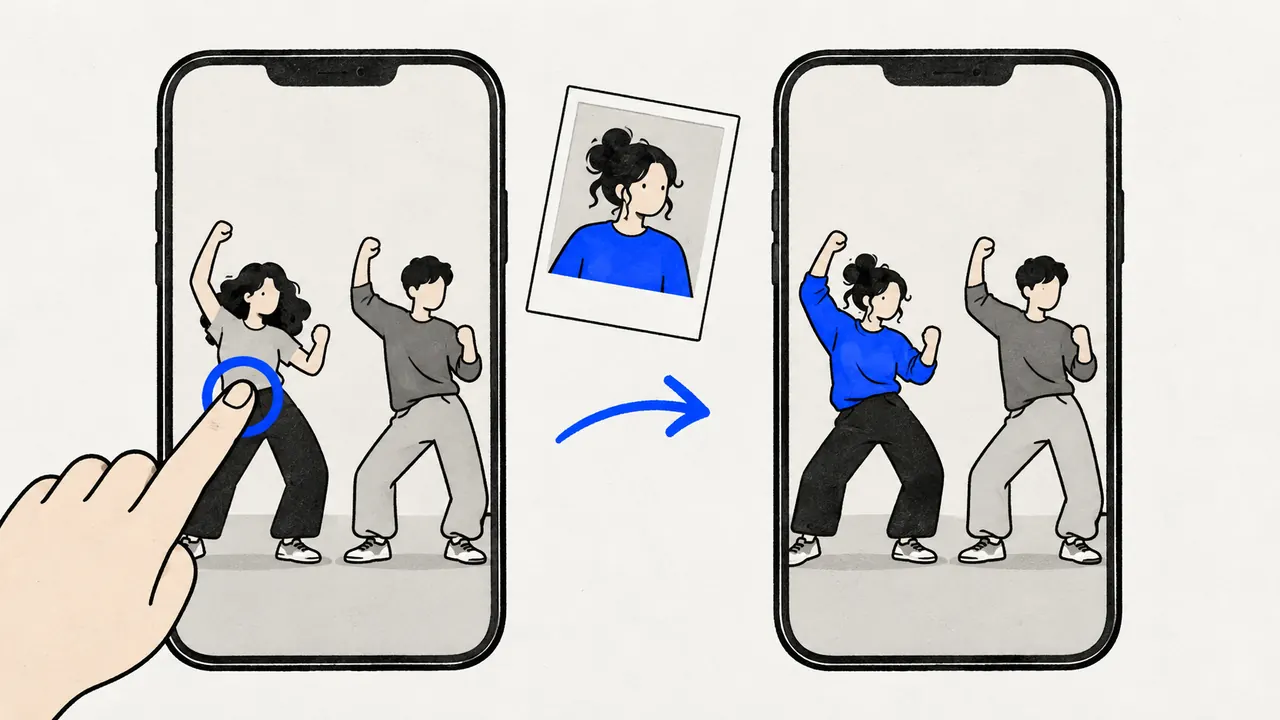
Clone Cut AI is the AI character swap tool of Capafy AI (capafyai.net). You upload a clip, add a photo of each new person and tap who to replace; the model re-shoots or edits the clip with your people while the timing, the camera and the background stay. It is not the CloneCut agent sold on capafy.ai, and Capafy AI has no tie to it.
How to use Clone Cut AI in three steps
Add the video to clone
Upload an MP4 or MOV file of 2 to 30 s, up to 50 MB. A dance, a skit, a reaction or a product demo works best when the people in it are easy to see.
Add the new people
Add one clear photo per person you want in the video, 9 at most. As soon as the clip and a photo are in, Clone Cut AI watches the video once and finds who is in it, for free.
Check who becomes you, then create
Clone Cut AI picks the main person in your video; tap another face to change who becomes you. Clothes, sound, model and quality have defaults under Settings. See the price on the button and create. Most Clone Cut AI videos are ready in 5 to 6 minutes.
What Clone Cut AI keeps and what it changes
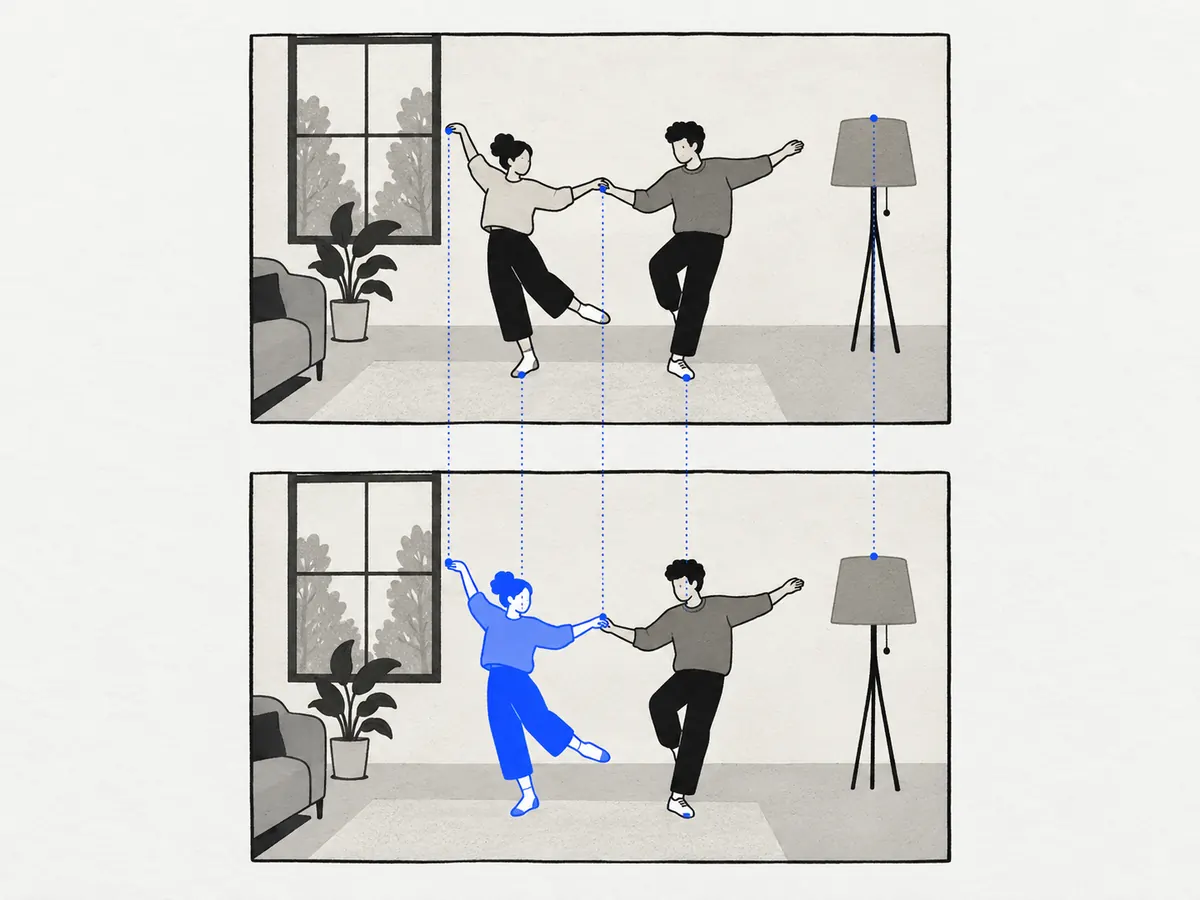
Stays as in your video
- Every move, gesture, head turn and lip movement
- The cuts, the timing and the length
- The camera angle and how the camera moves
- The background, the light and the objects in the scene
- Everyone you did not tap
- The original sound, laid back over the result after the render
Comes from your photo
- The face, hair, skin tone and build of each person you tap
- Their clothes, when the plan says "From the photo" (or keep the video’s clothes)
Which models Clone Cut AI uses
Clone Cut AI runs on Wan 3.0, Seedance 2.5, Seedance 2.0, Kling 3.0 and MiniMax H3, with Wan 3.0 as the default. Some models re-shoot the scene from your clip, others edit your clip itself; the studio greys out any model that cannot take your clip and says why.
| Model | Your clip | Quality | How it works | Typical wait |
|---|---|---|---|---|
| Wan 3.0 | 2 to 15 s | 480p, 720p, 1080p | Re-shoots the scene | ~6 min |
| Seedance 2.5 | 4 to 30 s | 480p, 720p, 1080p | Edits the clip itself | ~6 min |
| Seedance 2.0 | 2 to 15 s | 480p, 720p, 1080p, 4K | Re-shoots the scene | ~5 min |
| Kling 3.0 | 3 to 10 s | 720p, 1080p, 4K | Edits the clip itself | ~6 min |
| MiniMax H3 | 2 to 15 s | 768p, 2K | Re-shoots the scene | ~5 min |
Seedance 2.0 takes a clip of about 720p or smaller, so a 1080p phone video fits the other models. Kling 3.0 takes up to 4 photos; the other models up to 9.
How much Clone Cut AI costs
Finding the people in your video with Clone Cut AI is free, up to 20 scans a day. You pay credits only when you press create, and the button shows the number first.
The price of a Clone Cut AI video depends on the model, the quality and the length of your clip: most models bill the seconds of your clip plus the seconds of the new video. A 10 s clip on Wan 3.0 is 168 credits at 480p and 336 at 720p; a 5 s clip at 480p is 84.
If a render fails, its credits come back by themselves. Credits come in one-time packs from $14.99; see pricing.
Ideas for your first Clone Cut AI video
Join a dance you filmed
Film a friend doing a trend, then swap yourself in with one selfie. Clone Cut AI keeps the steps and the beat as filmed.
Recast a skit
Shot a short sketch with one friend? Put another friend in the same role without filming it again.
A new face for a product clip
Keep your product demo, its cuts and its voice-over, and change who holds the product, with that person’s consent.
Party and wedding surprises
Put the guest of honour into a clip the group recorded, then play it at the party.
Clone Cut AI tips for a clean character swap
- Short clips of 5 to 10 s, one shot or few cuts
- People clearly visible, not covered by others or by objects
- One person per photo, face to the camera, no sunglasses
- A full-body photo when the video shows the whole body
- Similar light in the photo and in the video
- Fast cuts between many faces
- Tiny people far from the camera
- Clips filmed at under 24 or over 60 frames per second
- Children, and public figures
- Videos you do not have the right to use
Use Clone Cut AI only with permission
Upload only videos you made or have the right to use, and photos of people who agreed to be in the result. No children, and no public figures. Every request asks you to confirm this. To have a clip removed, use the takedown page.
FAQ
Questions and answers
Is Clone Cut AI free?
Finding the people in your video is free. The clone itself costs credits, for example 168 credits for a 10 s clip at 480p on Wan 3.0. New accounts get no free credits. Packs start at $14.99, and failed renders are refunded.
Is Clone Cut AI the CloneCut agent from capafy.ai?
No. Clone Cut AI here is a tool of Capafy AI on capafyai.net, an independent AI video studio. capafy.ai is an Agent Skills marketplace where a seller offers an agent called CloneCut; we are not that agent, do not sell it and have no tie to capafy.ai.
How do I replace a person in a video with AI?
Upload the video to Clone Cut AI, add a photo of the new person and tap who they replace; the AI keeps the moves, the cuts and the sound. The model takes a few minutes and the price shows on the button first.
How long can my video be in Clone Cut AI?
2 to 30 s, depending on the model: Wan 3.0 2 to 15 s, Seedance 2.5 4 to 30 s, Seedance 2.0 2 to 15 s, Kling 3.0 3 to 10 s, MiniMax H3 2 to 15 s. The new video is as long as your clip. Trim a longer video before you upload it.
Can I paste a TikTok or YouTube link into Clone Cut AI?
Not yet. Save a video you have the right to use, then upload the file (MP4 or MOV, up to 50 MB).
How many people can Clone Cut AI replace in one video?
Up to 9, one photo per person. Everyone you do not tap stays as they are, so you can swap one dancer out of three.
Is Clone Cut AI just a face swap?
No. A face swap pastes a new face over the old one; Clone Cut AI replaces the whole person: face, hair, skin tone and build, and the clothes too if you choose. The moves stay those of your video.
Does Clone Cut AI keep the original sound?
Yes, by default. After the render, the sound of your clip is laid back over the new video, so music and voices stay in time. You can switch the sound to "Made by the model" instead.
Which Clone Cut AI model should I choose?
Start with Wan 3.0, the default. Seedance 2.5 and Kling 3.0 edit your clip itself, the others re-shoot it. Seedance 2.0 takes clips of about 720p or smaller. The studio greys out any model your clip does not fit.
What does Clone Cut AI do with my video and photos?
They are stored privately for 7 days so you can try other settings, then deleted. They go to our video providers only to make your clone.
Is there a Clone Cut AI app or APK to download?
No, and you do not need one. Clone Cut AI runs in the browser on a phone or a computer, with no app or APK to install. Upload a video from your camera roll, sign in with Google and create.
How long does Clone Cut AI take?
Finding the people takes under a minute. The clone itself takes about 5 to 6 minutes, depending on the model; you can close the tab, and the video waits in My videos.
Can I use Clone Cut AI on someone else’s viral video?
Only if you have the right to use it: a video you filmed, one you licensed, or one whose owner agreed. Do not upload other people’s videos or faces without their permission.